
Run a cleaner, safer jobsite — with one app.
Construction Foreman brings your daily reports, safety/JSA, equipment tracking, blueprints, photos, time tracking, trade calculators, and Enhanced Trades AI into one fast, field-ready workflow.
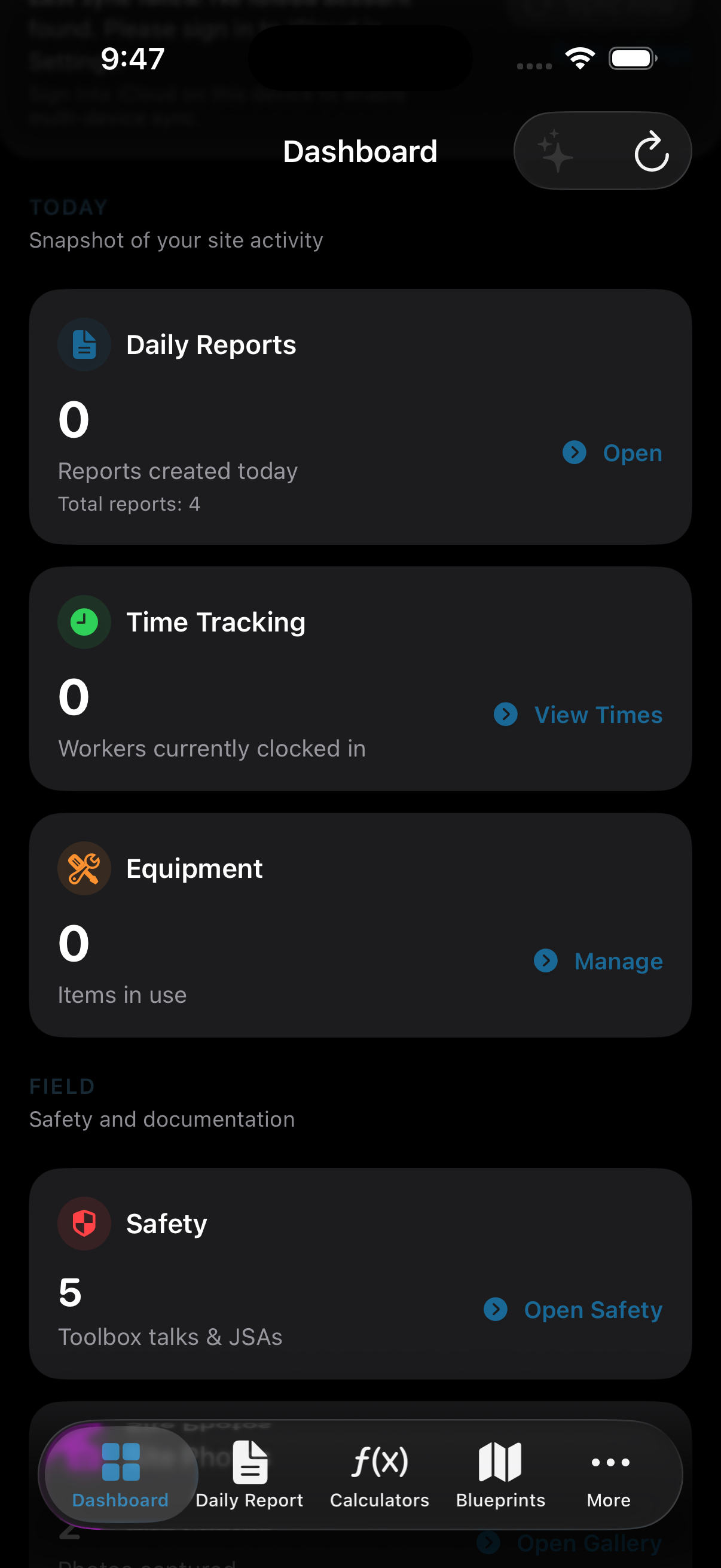
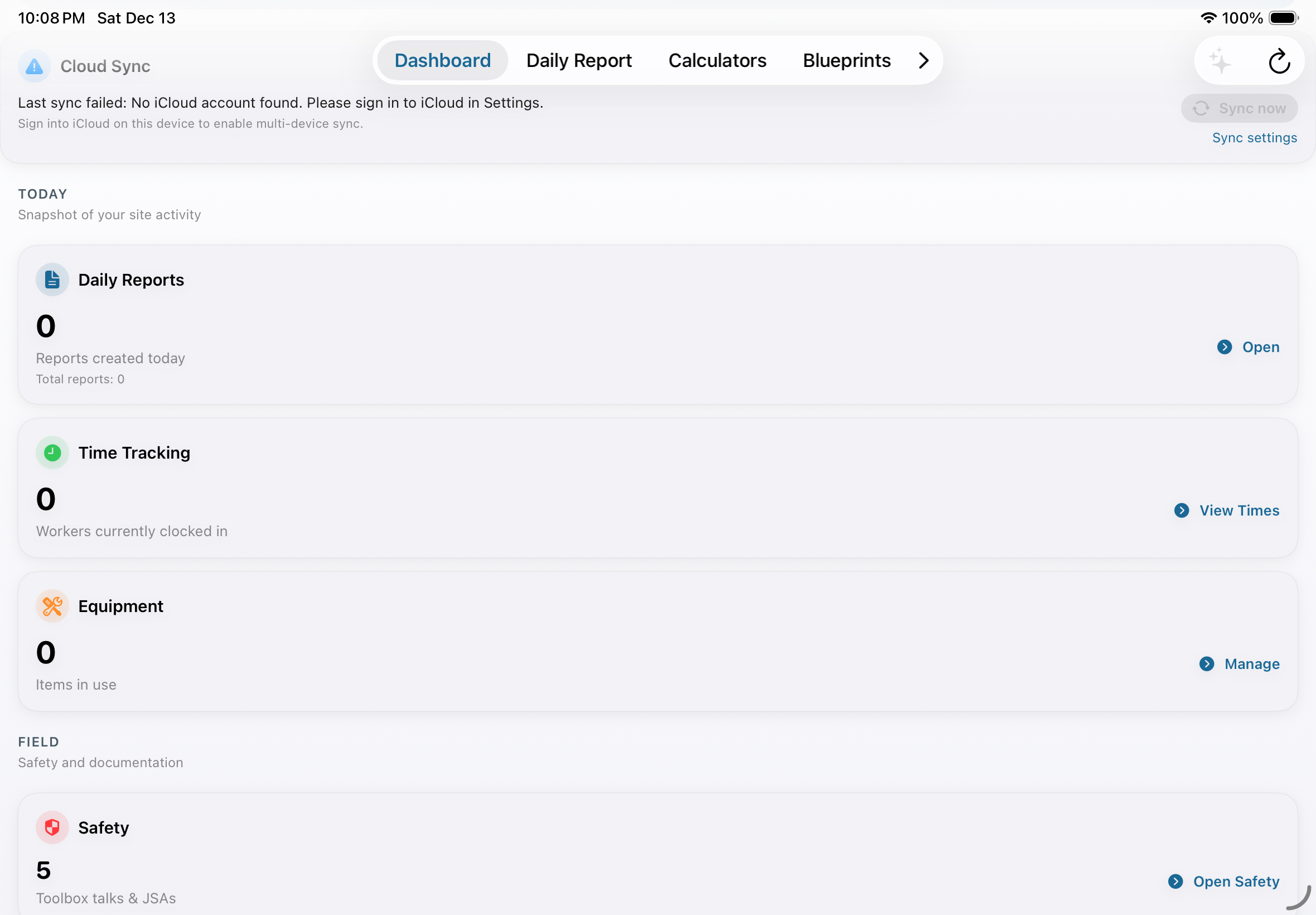
Everything a foreman needs — without the clutter.
Designed for real field conditions: fast entry, clean layouts, and outputs that look professional.
Daily Reports
Create structured daily reports quickly and export clean PDFs for management and clients.
- Consistent, job-ready format
- Multi-page support
- Shareable PDF output
Safety, Near Miss & JSA
Capture hazards, observations, and JSA details in a workflow that matches how sites run.
- Hazard type selection
- Safety talks
- PPE-focused components
Equipment Tracking
Track tools and equipment by job or crew to reduce loss and improve accountability.
- Add & manage equipment
- Status/availability clarity
- Field-first UI
Blueprints & Photos
Keep job reference material close: view blueprints and attach photo context to your workflow.
- Blueprint access on-site
- Photo capture & review
- Better documentation
Time Tracking
Track time in a simple, practical way that fits the pace of the field.
- Fast entry
- Job-focused organization
- Clear summaries
Enhanced Trades AI
Optional AI assistance to help draft clearer reports and answer trade-related questions.
- Trade-focused prompting
- Supports built-in access or user API keys
- Designed to keep workflows moving
Trade Calculators
Quick calculators that stay out of the way and give clean, repeatable results.
- Built for speed
- Clear/reset-friendly
- Works great on iPad too
Settings & Themes
Clean settings with light/dark/system modes and AI configuration where applicable.
- Light / Dark / System
- AI configuration options
- Polished UI
Screenshots
Toggle between iPhone and iPad to see the full experience.
Who it’s for
Built for teams who need documentation that’s fast, accurate, and professional.
Foremen & Site Supervisors
Daily reporting, safety documentation, and equipment visibility — in one place.
Skilled Trades Leads
Plumbing, mechanical, electrical, and multi-trade leads who want cleaner reporting and job history.
Safety Officers
Capture observations, near misses, and JSA details consistently across teams.
Small–Mid Contractors
Replace paper + spreadsheets with a workflow that scales with your crews.
How it works
A simple loop that fits the pace of the field.
Capture the day
Create a daily report, add notes, and attach relevant info (photos, safety items, tasks).
Track safety + equipment
Log hazards/observations and keep equipment tracking updated so the crew stays organized.
Export & share
Export professional PDFs when needed for supervisors, management, clients, or records.
Use AI when it helps
Enhanced Trades AI is optional: use it to draft clearer wording or speed up documentation.
Ready to run your site tighter?
Get Construction Foreman and start producing cleaner reporting and better job history.
Replace the App Store link and contact email in when you publish.
FAQ
Quick answers for crews and management.
Does this work on both iPhone and iPad?
Yes — the UI is designed to work on iPhone and iPad, with layouts that suit each device size.
Do I have to use AI?
No. Enhanced Trades AI is optional. You can use the app fully without it.
Can I export professional reports?
Yes — the app supports clean PDF exports suitable for supervisors, clients, and record keeping.
Who is this best for?
Foremen, supervisors, skilled trades leads, safety officers, and contractors who need structured documentation.